Best Nonprofit CRM Comparison: Salesforce vs Bloomerang vs Neon CRM vs Keela
Nonprofits... My Happy Place.
I’ve worked with nonprofits for years—websites, branding, SEO, email marketing, the whole deal—and I’ll admit I’ve always had a soft spot for mission-driven organizations. Even though my consultancy has shifted more toward for-profit work lately, I still love helping nonprofits bring their mission and vision to life.
One area I’ve spent a lot of time in is setting up and integrating nonprofit CRMs. And the truth is, the right CRM can make fundraising and supporter management dramatically easier—while the wrong one can create daily frustration.
This blog is here to help you cut through the noise. I’ll compare several popular nonprofit CRMs, highlight the real tradeoffs, and help you decide whether you should switch platforms—or feel confident that the one you have is the right choice.
Managing donor relationships and fundraising is mission-critical for nonprofits, but choosing the right CRM (Customer Relationship Management) software can feel overwhelming. What is the best nonprofit CRM? The answer depends on your organization's size, needs, and budget. In this post, we’ll dive deep into four popular options – Salesforce Nonprofit Cloud, Bloomerang, Neon CRM, and Keela – and compare them on key features like ease of use, cost, fundraising tools, supporter management, event/volunteer tracking, integrations, and analytics. These platforms range from the industry heavyweight (Salesforce) to an underdog I’ve personally grown fond of (Keela). By the end, you’ll have a clearer sense of which nonprofit CRM might be the best fit for your organization’s needs – whether you’re a small US-based nonprofit or a growing mid-sized charity. Let’s get started!
Salesforce Nonprofit Cloud
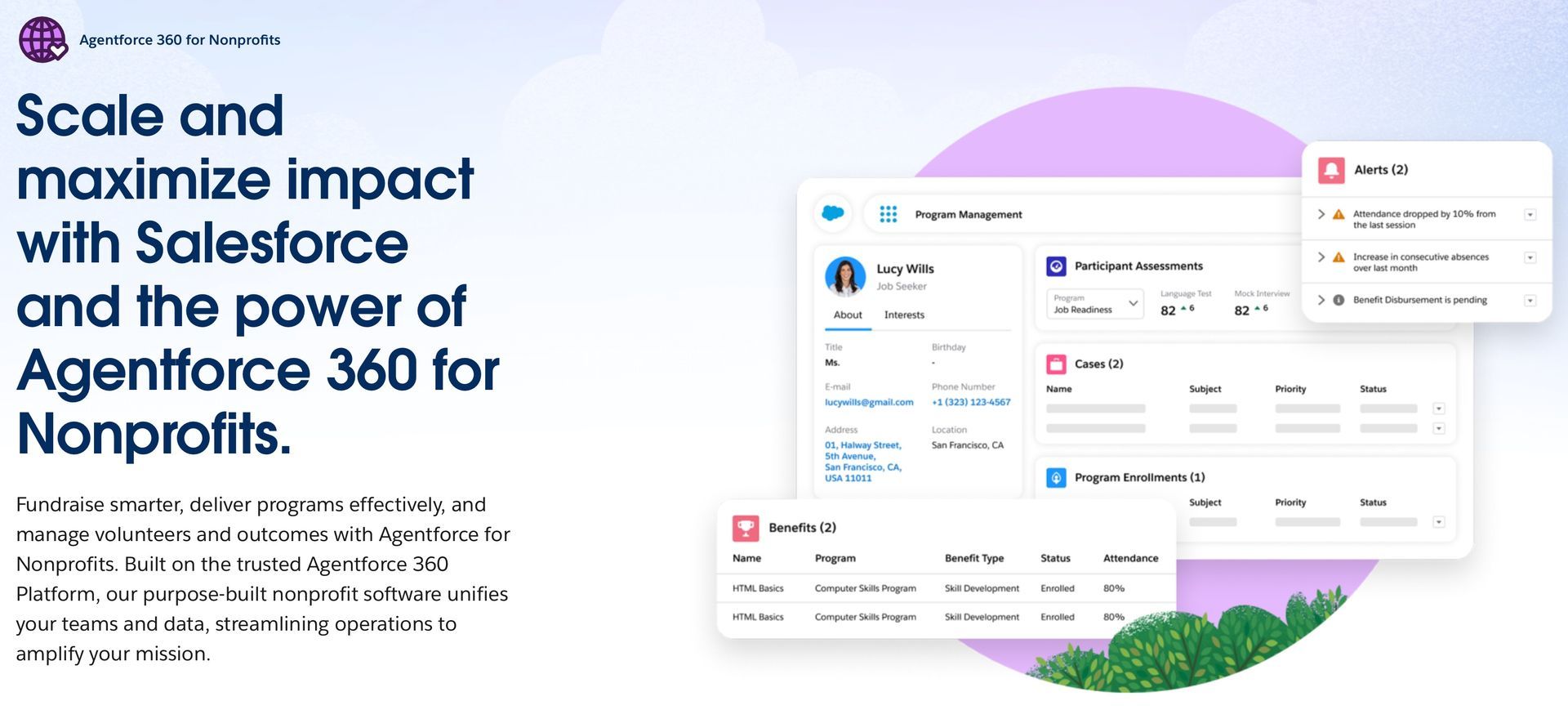
Salesforce Nonprofit Cloud (formerly the Nonprofit Success Pack on the Salesforce platform) is like the Swiss Army knife – or maybe the Swiss Army chainsaw – of nonprofit CRMs. It’s extremely powerful and feature-rich, used by many large nonprofits and global NGOs. But with great power comes… a hefty learning curve. Here’s how Salesforce stacks up:
Ease of Use: Salesforce offers massive flexibility and customization, but it’s not the most intuitive system for newbies. Many small nonprofits find it overwhelming without dedicated IT support. In fact, Salesforce’s extensive features can overwhelm new users, requiring significant training and onboarding time. In plain terms: it’s a robust platform that sometimes feels like you need a certified admin (or wizard) on staff to harness it fully. I’ve come a cross more than a few nonprofits that either use Salesforce in a very limited way due or just stopped using it all together due to its complexity and learning curve for volunteers and employees making it a complete waste of the investment.
Cost: Salesforce is famously generous to nonprofits and potentially expensive at the same time. Through the Power of Us program, eligible nonprofits get 10 free Salesforce user licenses for its CRM. This means small organizations can start at no cost – a big draw. However, beyond those 10 users (or for add-on products and upgrades), pricing can climb steeply. The Nonprofit Cloud Enterprise edition lists at around $60/user/month and Unlimited at $100/user/month. More importantly, implementing and customizing Salesforce often incurs consulting or training costs, which can make it one of the most expensive solutions in practice. As one Reddit user quipped, “licenses are free, but there's still other fees” – e.g. many orgs incur \$10K+ in initial setup or need paid support. So, budget carefully: Salesforce can be cost-effective if you use the free licenses and have tech-savvy volunteers, but otherwise it might strain a small nonprofit’s budget.
Fundraising & Donor Management: This is where Salesforce shines if configured well. It has a comprehensive Donor Management system and fundraising tools that can track donations, grants, campaigns, and major gifts. Out-of-the-box, Salesforce’s Nonprofit Cloud includes donor profiles and fundraising features (donation tracking, pledges, etc.), and you can customize workflows or install apps for specific needs. Salesforce also offers advanced analytics and AI (Einstein AI) for things like predicting donor behavior. The catch: you have to set all this up. For a data-loving organization with complex fundraising strategies, Salesforce provides unparalleled power. For a small nonprofit running simple appeals, it might be overkill.
Event & Volunteer Management: Salesforce can handle events and volunteers, but again it may require add-ons or customization. Salesforce has introduced native volunteer management in Nonprofit Cloud (formerly via the “Volunteers for Salesforce” app) to track volunteer jobs, shifts, and hours. It’s quite capable – you can manage events, registrations, volunteer sign-ups, etc. – but setting these up isn’t as plug-and-play as some purpose-built nonprofit CRMs. Often, nonprofits integrate Eventbrite or other tools (Salesforce’s ecosystem integration is excellent, so that’s a plus). The bottom line: yes, you can manage events and volunteers in Salesforce, but expect to invest time configuring it (or integrate a third-party service).
Integrations & Analytics: One of Salesforce’s superpowers is integrations. It has an enormous AppExchange marketplace and can connect to just about any platform (email marketing, accounting, payment processors, you name it). If you need your CRM to talk to other systems, Salesforce likely has a solution ready. The flipside is complexity – more integrations can mean more things to maintain. For analytics, Salesforce offers extremely powerful reporting tools (and even the Tableau platform for data visualization). You can slice and dice donor data however you want and build custom dashboards. The challenge is learning to do so. Many users note that Salesforce’s reporting has a steep learning curve and may be unintuitive without training. However, once mastered, the insights are top-notch. In short, Salesforce Nonprofit Cloud is unbeatable for organizations that need enterprise-level CRM capabilities and have the resources (time, money, expertise) to manage it. Smaller nonprofits with limited capacity, which are the kind I typically work with, might find the high cost and steep learning curve outweigh the benefits – or as we like to say, don’t buy a space shuttle when you really need a bicycle.
Bloomerang
In contrast to Salesforce’s do-everything approach, Bloomerang is a CRM purpose-built for nonprofits, focused on being user-friendly and helping you retain donors. Imagine a friendly gardening assistant that helps your donor relationships bloom – that’s Bloomerang’s vibe. It’s widely adopted by small to mid-sized nonprofits across the US, thanks to its simplicity. Let’s break it down:
Ease of Use: Bloomerang is often praised for its simple and accessible interface. Even non-technical users can navigate it with minimal training. The design is clean and donor-centric – you log in and immediately see things like your donor retention rate and latest interactions. Users love that it “just makes sense” out of the box. This straightforward usability is a huge benefit for organizations with small staffs or volunteers managing the data. However, the trade-off is Bloomerang is less customizable than something like Salesforce. It’s built to be easy, not to let you rebuild the engine. For most small nonprofits, that’s a worthy trade. Just know that as you grow, Bloomerang’s simplicity can become a limitation for power users (a bit like trying to do advanced algebra in a basic spreadsheet – doable, but not ideal).
Cost: Bloomerang offers a free plan for very small organizations and then tiered paid plans as your contacts and needs grow. The entry-level paid tier (Bloomerang Standard) starts around $100–$125 per month and increases with the size of your donor database. One nice thing: all plans allow unlimited users (so you’re not charged per seat, unlike Salesforce). Bloomerang’s pricing is generally considered budget-friendly for small to mid nonprofits. However, be aware that certain advanced features come as add-ons: for example, online fundraising tools (forms, event registration, texting) are part of a “Bloomerang Fundraising” add-on (~$40/month) and Volunteer management is another add-on (~$119/month) So if you need those, your cost will be higher. Even with add-ons, Bloomerang tends to be cheaper and more predictable in cost than big CRMs – you won’t need a consultant to get started.
Fundraising & Donor Management: Bloomerang’s core strength is donor management with a focus on retention. It’s built around the idea of engaging donors so they keep giving year after year. Every donor’s profile includes an “engagement meter” or score (a quick visual of how engaged they are), and you see timeline interactions to help cultivate relationships. Bloomerang has good fundraising tools for typical needs: you can track donations, pledges, create basic campaigns, and generate donation receipts and acknowledgement letters easily. It also has built-in email and even basic social media integrations to manage communications. Reporting in Bloomerang is geared towards donor retention metrics and fundraising trends, and it’s quite powerful while staying simple– e.g. you can pull up lapsed donors, retention rates, giving totals by campaign, etc. If your priority is to build strong donor relationships and boost retention, Bloomerang gives you that focus out of the box. It may lack some advanced fundraising features of larger systems (like sophisticated grant tracking or major gift moves management), but it covers the essentials for small and mid-sized fundraising.
Event & Volunteer Management: Out-of-the-box, Bloomerang’s core CRM doesn’t include extensive event or volunteer management modules. However, Bloomerang has options: their Fundraising add-on includes basic event management features (like event pages and ticketing). For volunteer management, Bloomerang currently relies on an integrated add-on (or third-party tool) that costs extra In other words, you can manage volunteers through Bloomerang, but only if you spring for the volunteer module or integrate a partner app. Many smaller orgs simply export data to a spreadsheet or use a dedicated volunteer tool instead. If events and volunteers are a big part of your operations, Bloomerang can handle them (especially events), but it’s not its strongest suit. Its sweet spot remains donor management and fundraising.
Integrations & Analytics: Bloomerang supports integrations with popular nonprofit tools – for example, it connects with QuickBooks for accounting, with email marketing tools like Mailchimp or Constant Contact, and with online fundraising platforms. It also has an open API for custom integrations. However, the integration ecosystem is not as vast as Salesforce or Neon. Usually, Bloomerang has what a typical small nonprofit needs, but if you have a very unique tech stack, you’ll want to double-check compatibility. On the analytics side, Bloomerang provides a solid set of reports and dashboards, especially around donor retention, fundraising performance, and email engagement. You can see year-over-year comparisons, donor growth, etc., and export data as needed. It’s not an AI-powered analytics machine, but it gives nonprofit leaders the key metrics in a digestible format. One limitation noted by some larger users is that Bloomerang’s reports aren’t as deeply customizable as some other CRMs – you might not be able to build every niche report you imagine, which is partly by design (to keep things simple). For most small nonprofits, the reporting tools are more than sufficient and notably easy to use (no SQL or coding required!).
Bottom line: Bloomerang is an excellent choice for small to mid-sized nonprofits that want a user-friendly, donor-centric CRM on a budget. It helps you focus on what matters – building relationships and keeping donors happy – without bogging you down in tech. It may not scale to extremely complex needs, but it’s beloved by many organizations who finally ditched their spreadsheets for Bloomerang and felt like they “graduated” to a modern, yet approachable system.
Looking for a Trusted AI Marketing Consultant?
Reach out today for a complimentary consultation! Discover how Bryt Idea can help elevate your business!

Neon CRM (Neon One)
Neon CRM (part of the Neon One suite) is like the all-in-one workhorse that tries to give you everything you need in one platform – fundraising, donor management, events, memberships, email marketing, volunteers, you name it. It’s specifically designed for nonprofits and associations. Think of Neon CRM as a middleweight boxer with a toolbelt: not as bulky as Salesforce, more expansive than Bloomerang, and focused on packing a punch for small-to-mid nonprofits (and even some larger ones). Here’s how Neon compares:
Ease of Use: Neon CRM offers a modern, user-friendly interface, especially considering how many features it covers. Users often highlight that Neon combines multiple functions into one intuitive dashboard, saving administrative time. For example, you’re able to see donor info, membership status, event registrations, and email stats all without jumping to separate systems. That said, because Neon does a lot, there is still a learning curve to master all of its modules. It’s generally easier to pick up than Salesforce (no coding needed for most tasks) and Neon provides good support resources. I’d say Neon strikes a nice balance: approachable for beginners, yet with enough depth that you’ll keep discovering new things it can do. If Bloomerang is like a compact car and Salesforce is a semi-truck, Neon is your reliable SUV – user-friendly to drive, but still plenty under the hood.
Cost: Neon CRM’s pricing is tiered by package and features, starting at $99/month for the Essentials plan. One interesting twist: Neon uses revenue-based pricing for some plans, meaning they charge based on your annual fundraising revenue rather than number of contacts. This can be great for organizations that are growing; you’re not penalized for accumulating a large contact list, which is different from many CRMs. The mid-tier (Impact) is around $199/month, and higher packages if you need advanced features like automation or have larger revenue. Neon’s pricing includes most of its features (donor management, events, email, volunteer management, etc.) in the bundle – you’re not paying separately for each module. There may be some add-ons (like if you want their philanthropy toolkit or special integrations), but generally it’s a comprehensive package. Compared to Bloomerang, Neon might come out slightly pricier at the base level, but since it packs in more functionality (events, membership, volunteer tools included), it can be more cost-effective than assembling multiple add-ons elsewhere. And notably, Neon’s pricing scales with your organization – it’s designed so you don’t hit a wall just because you added 5,000 new contacts after a viral campaign (a good problem to have!).
Fundraising & Donor Management: Neon CRM is very comprehensive here – it’s truly an all-in-one fundraising CRM It handles regular donation tracking, recurring gifts, pledges, peer-to-peer fundraising campaigns, membership dues, grant management (basic), and even has a built-in email marketing tool for donor communications. One of Neon’s strengths is that it integrates donor management with other activities: for example, a donor’s profile will show not just their giving history but also event attendance, membership status, volunteer hours, etc., giving you a 360° view of engagement. Neon provides customizable online donation forms and event registration forms that feed directly into the CRM, so all your data stays in one place. Reporting-wise, Neon has robust options: one-click executive summary reports, daily KPI dashboards, and detailed query tools. Users like that they can tailor forms, fields, and workflows to fit their processes
– Neon is quite customizable without requiring a developer. It even offers some donor segmentation and basic wealth screening tools to help identify major gift prospects. In short, Neon’s fundraising toolkit rivals Salesforce in breadth, but in a package designed for non-technical users. If your nonprofit does a bit of everything (donations, events, memberships, etc.), Neon lets you consolidate those tasks in one system.
Event & Volunteer Management: This is a big differentiator for Neon. Unlike many CRMs where events or volunteers are afterthoughts or add-ons, Neon CRM includes full event management and volunteer management modules by default. For events, you can create events (gala, 5K run, conference, etc.), set up online registration/ticketing pages, track attendees, and even handle event finances through Neon. It will record event participation on constituent records automatically. For volunteers, Neon allows you to track volunteer applications, schedule volunteer shifts, log hours, and list volunteer interests/skills. While it may not be as specialized as stand-alone volunteer management software, having it integrated means your volunteers’ contributions (time and money) all live in one database. For membership-based nonprofits, Neon also has a membership management component (levels, renewals, member portals) built-in. This “many tools in one” approach is a huge plus for organizations juggling multiple engagement types. Instead of stitching together three different systems, Neon provides a unified solution. That said, using all these features will require careful setup – you’ll want to take advantage of Neon’s training materials to utilize events and volunteer functions effectively. But once you do, it’s pretty empowering (speaking from experience seeing a nonprofit client suddenly able to run their annual event registrations and volunteer coordination all through the same CRM – it was a game changer!).
Integrations & Analytics: Neon CRM integrates with a healthy range of other software. It connects with QuickBooks for accounting, Mailchimp and Constant Contact (if you prefer those over Neon’s email tool), PayPal, Stripe, and more. It also has a Zapier integration, which means you can link Neon to thousands of apps if needed. Additionally, because Neon One has other products (like Neon Fundraise, Neon Pay, etc.), it’s designed to play nicely in a larger ecosystem if you ever expand. As for analytics, Neon provides customizable dashboards and reports covering all the key metrics: donor retention, lifetime value, campaign performance, email open rates, event revenue, etc. Users highlight that Neon’s reports are strong – you can build custom report templates and even schedule automated report emails to your team. Neon doesn’t (yet) have fancy AI predictive analytics baked in, but it does the analytical basics very well and makes data easy to interpret for decision-making. One thing to note: Neon’s interface and reports have improved a lot in recent years; older reviews may cite clunkiness, but NeonOne has been polishing the UX. The general consensus now is that Neon provides a robust set of features without feeling too hard to use, which is a sweet spot for many nonprofits.
In summary, Neon CRM is often considered one of the best CRMs for small and medium nonprofits because it offers a ton of functionality at a reasonable price, with an emphasis on usability. It’s a great choice if you want one system to handle donors, fundraising, events, memberships, and volunteers together. While Neon (and its parent Neon One) obviously sings its own praises, even third-party comparisons note that Neon is comprehensive yet user-friendly, and scalable as you grow. If you have multiple programs to manage but don’t want to venture into the complexity of Salesforce, Neon could be your Goldilocks solution – just right.
Keela
And now for the underdog – Keela. Keela is a newer nonprofit CRM platform that’s been gaining traction, especially among small and mid-sized nonprofits looking for smart, modern tools. (Full disclosure: I’m a bit of a Keela fan. I’ve worked with it on a nonprofit project and it left a great impression – more on that in a second.) Keela originated in Canada but now serves nonprofits in the U.S. and beyond. It markets itself as an all-in-one solution with a big focus on donor engagement, team collaboration, and even AI-powered insights. Let’s give Keela some love and see how it compares:
Ease of Use: Keela’s interface is fresh, clean, and intuitive – it feels like a product made in the 2020s (because it is!) with modern design sensibilities. Users frequently praise Keela’s user-friendly design, saying it’s easy for nonprofit teams to adopt without steep learning curves. In my experience, that holds true: when I helped a small nonprofit (House of Hope) implement Keela during a website overhaul, their staff – none of whom were particularly techy – picked it up quickly. Within a short time, they were confidently adding donations, pulling up contact records, and even setting up email campaigns on Keela without calling me for help. That’s a win! Keela has a straightforward navigation menu (Contacts, Fundraising, Email, Reports, etc.), and plenty of in-app guides. And if you do need help, Keela’s customer support is very responsive. Now, I’ll be honest: no software is perfect. A few users note that some advanced operations in Keela could be smoother, and occasionally I found myself wishing for a bit more customization – so let’s call it nearly as easy as Bloomerang, with a touch more complexity only because it offers more features. Overall though, Keela is definitely in the “anyone can use this” category. It’s designed for humans, not just database admins, and that’s a refreshing approach.
Cost: Keela’s pricing model is based on the number of contacts in your database, with plans starting around $99/month for up to ~2,000 contacts. The price scales up with more contacts (e.g. around $225/mo for 2,500 contacts, $315 for 5,000, etc.). All plans include the full feature set – you don’t pay extra for additional users (unlimited users) or for sending emails, and Keela charges no transaction fees on donations. One thing I appreciate: Keela includes unlimited email sends and built-in training resources even on lower tiers. So, a small nonprofit can use Keela for donor management, email marketing, events, etc., without suddenly hitting an add-on paywall. Compared to others, Keela is generally budget-friendly for what you get. For instance, at ~$100/mo you’re getting a range of capabilities similar to Neon (which is the same starting price) and more than Bloomerang’s base offering. Also worth noting: Keela often offers discounts for annual billing and has been known to give promo deals for nonprofits switching from other CRMs. In terms of value, I’d rate Keela high – it aims to give smaller nonprofits a lot of bang for the buck. (As an aside, Keela was acquired by another nonprofit software company (Aplos) in 2024. So far, that hasn’t led to price changes; if anything, it might result in more features down the road. But it’s something to keep an eye on.)
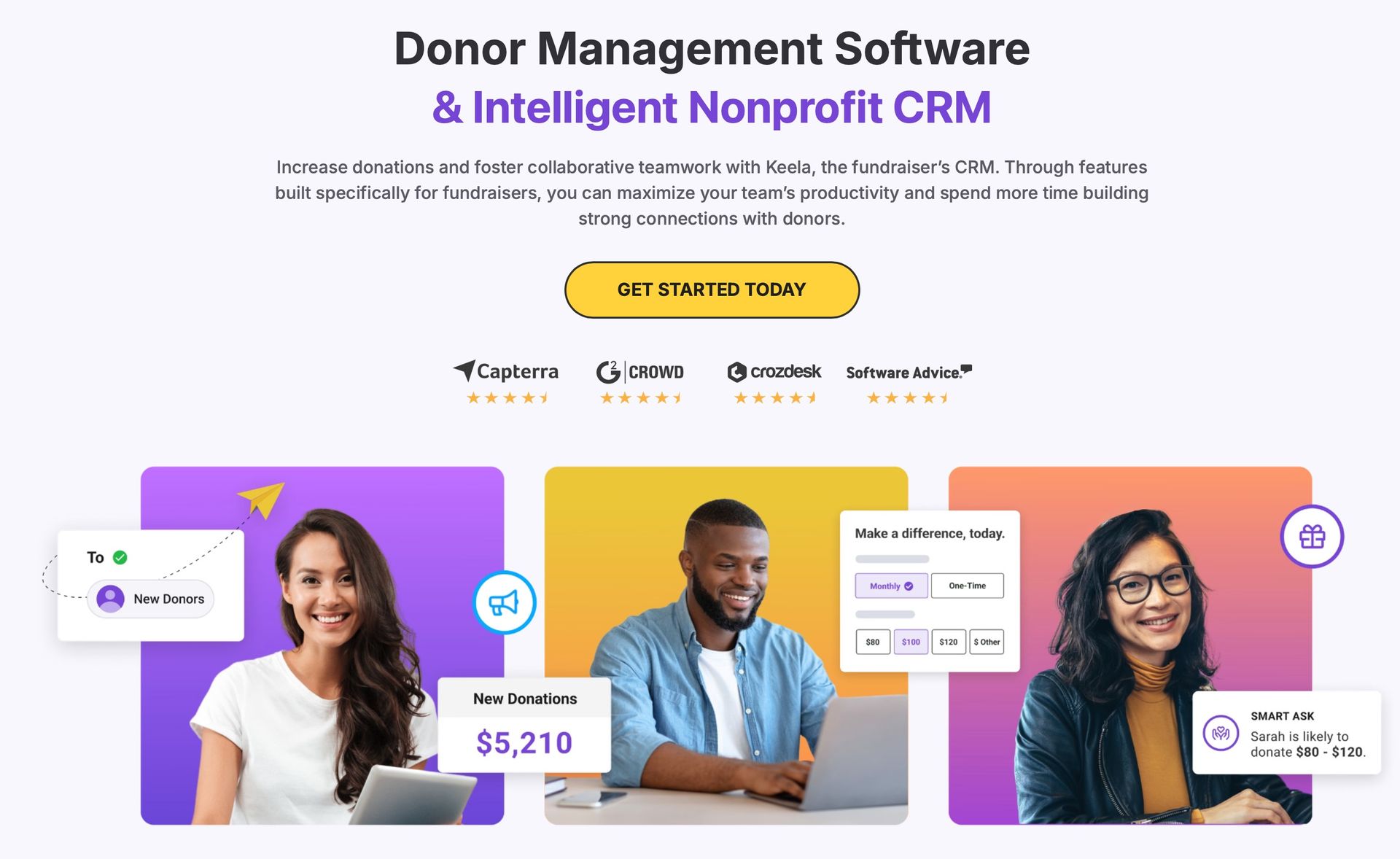
Fundraising & Donor Management: Keela covers all the fundamentals of donor management and throws in some innovative fundraising tools. You can manage contacts (donors, members, volunteers, etc.) with all their info and history, track donations (one-time, recurring, in-kind), and segment donors into groups. Keela’s fundraising features include AI-powered donation forms and “smart ask” amounts – essentially, the system can suggest appropriate donation amounts to donors based on data, aiming to increase gifts. It also has tools for email marketing, peer-to-peer fundraising, and even basic grant management (you can track grant deadlines and tasks). One of Keela’s standout focus areas is donor engagement: it provides metrics on donor behavior, trends, and even an engagement score similar to Bloomerang. The idea is to help you identify which donors need more love and which could be ripe for a bigger ask. In practice, I found Keela’s built-in analytics on our donor base pretty insightful – it would highlight things like “these 20 donors have lapsed” or “Donor X just hit their 5th yearly donation, time for a special thank you.” That’s the kind of actionable info small teams appreciate. Reporting in Keela is flexible; you can generate custom reports on donations, campaigns, donors, etc., and the dashboards are visually nice (great for presenting to your Board). Is Keela as deep as Salesforce in fundraising? No, but it covers 95% of typical needs
out of the box. It’s particularly great for organizations that want to automate some fundraising workflows (e.g. send a series of welcome emails after someone donates – Keela can do that with its simple automation builder). Overall, Keela gives small nonprofits big nonprofit tools in a digestible way.
Event & Volunteer Management: You might be wondering, can Keela handle my fundraising event or volunteer program? The answer is yes. Keela offers event management features to handle event registrations, tickets, and payments, and then ties that data back into your contacts. For instance, you can create an event in Keela, embed a signup form on your website, collect registration fees or donations, and track attendees – all from within the CRM. It even integrates with Eventbrite if you prefer using that platform, syncing the attendee info back to Keela. In one project, we used Keela’s event tools for a small charity gala: attendees signed up through a Keela form and the system automatically logged who attended and what they gave during the paddle raise – it was slick and saved us a ton of spreadsheet work. On the volunteer management side, Keela has capabilities for tracking volunteer contacts, their hours, and availability. You can log volunteer activities and communicate with volunteers en masse. It’s not a super elaborate volunteer scheduling system (if you need complex shift scheduling, you might use a dedicated tool), but it covers the bases for keeping volunteer info and hours in your database. What’s nice is Keela unifies volunteer and donor data – so if John Smith volunteers and later becomes a donor, it’s one record. This gives you a full picture of supporter engagement. To sum up, Keela can manage events and volunteers well for a small to mid nonprofit– and it’s all included, no extra add-on fees required.
Integrations & Analytics: Keela is designed to be a hub for your data, and it offers integrations with many popular tools. For example, Keela integrates with QuickBooks Online and Xero for accounting, with Stripe and PayPal for payment processing, with Mailchimp (if you prefer an external email platform), and with Zapier for just about anything else you can think of. It even has a Google Calendar sync and Gmail/Outlook integration to log emails to contacts. One slight knock is that Keela’s list of native integrations, while solid, is not as extensive as some larger competitors – a few users note challenges syncing with certain third-party tools without using Zapier. But most common needs are covered. On the analytics front, Keela provides real-time dashboards and reports that give insight into donor behavior, donation trends, campaign progress, and more It leverages some AI for predictive analytics – for instance, helping identify which donors might have a high lifetime value or which supporters are dropping off. These insights are presented in a straightforward way (no data scientist needed to interpret). I also appreciate that Keela’s analytics emphasize actionable insights – e.g. listing donors “at risk” of lapsing so you can intervene. While Salesforce might still be king of deep analytics, Keela’s approach feels tailored to busy nonprofit folks who need quick answers rather than complex data manipulation. And remember, all the analytics in the world are useless if you don’t use them – Keela makes them accessible so you actually will.
Overall, Keela is an impressive all-in-one nonprofit CRM that punches above its weight. It’s especially well-suited for small and medium nonprofits that want powerful fundraising and donor engagement tools without the usual complexity or cost I like to think of Keela as the scrappy newcomer that’s taken note of what nonprofits really need day-to-day (and what other CRMs may lack) and built a solution around that. From my personal experience implementing Keela for a nonprofit client, I was struck by how
excited the team was to use it – seriously, they found it fun to track their impact and see donor stats rise, rather than dreading “ugh, data entry.” That speaks volumes. Keela may not (yet) be as famous as Salesforce or Bloomerang, but it’s definitely one of the best CRMs for small nonprofits looking to level up their fundraising and donor management in a modern, user-friendly way. Full Disclosure: I liked Keela enough to join their partnership program. So If you would like to explore Keela more, feel free to
give me a shout and I can walk you through its features.
Looking for a Trusted NonProfit Marketing Consultant?
Reach out today for a complimentary consultation! Discover how Bryt Idea can help elevate your business!

Which CRM is Best for Small Nonprofits?
By now you might be thinking, “Alright, but just tell me which is the best CRM for a small nonprofit like mine!” The truth is, all four we discussed have their merits, and the best one depends on your specific situation. Here are some parting thoughts and recommendations to help you choose:
If you’re a very small nonprofit or all-volunteer run: You’ll likely appreciate an easy, out-of-the-box solution. Bloomerang or Keela are excellent choices here. They both offer intuitive interfaces and focus on what really matters (donor relationships). Bloomerang might edge out if donor retention tracking is your top priority and you want extreme simplicity. Keela might win if you want a more modern toolset (with extras like AI suggestions, built-in project management, etc.) and plan to grow into advanced features. Both have free or affordable entry points, so cost won’t be a barrier.
If you need an all-in-one solution to handle many activities:
Neon CRM should be on your shortlist. For a small-to-mid nonprofit that handles donations, runs events, manages memberships, and coordinates volunteers – and wants to do it all in one system – Neon is a powerhouse. It’s designed to let you centralize your operations and is quite user-friendly given its breadth. Keela also offers an all-in-one toolkit (and is improving rapidly), so it could serve here too, but Neon has been in this game a bit longer with a proven track record among varied nonprofits.
If you’re aiming to scale or have complex needs (and resources to match):
Salesforce Nonprofit Cloud might be the path. For organizations with ambitions to grow big, or those already dealing with complex programs, multiple teams, and custom processes, Salesforce provides unmatched flexibility and an entire ecosystem (including things like program management, extensive integrations, and enterprise-grade analytics. Just go in with eyes open: you’ll need either an in-house admin or budget for consulting to set it up right. The payoff can be huge if you fully leverage it, but it’s a long-term investment. Many larger nonprofits successfully use Salesforce as the central nervous system of their operations – but many smaller ones have also started and later decided it was too much. So, consider your
capacity and growth trajectory. If you do opt for Salesforce, take advantage of the community resources and those 10 free licenses, and
start simple (you can build complexity over time).
If you’re tech-shy but want to step up from spreadsheets:
Bloomerang is like a warm hug – it will make the transition gentle and guide you with best practices for donor management.
Keela can also be a friendly option here; despite having more features, it doesn’t overwhelm you at the start and offers great guidance. The fact that Keela was created for nonprofits by people who clearly
get nonprofit challenges is evident in its design and support. Both of these platforms have tons of nonprofit customers and communities, so you won’t feel alone.
Budget considerations: All these platforms offer discounts for nonprofits (in fact, they’re built for nonprofits). Bloomerang and Neon have standard pricing published, Keela as well, while Salesforce and some Neon One packages might require talking to a salesperson. If budget is extremely tight, note that Bloomerang’s free tier or
HubSpot’s free CRM (not covered here, but some nonprofits use it. PS... I'm a fan :-) could be interim steps, though they may not have all the nonprofit-specific functionality. Also, factor in the
value of your time – a cheaper system that consumes hours in manual work may
cost more in the long run than a slightly pricier system that automates tasks. For example, Neon or Keela’s ability to automate emails and receipts might save you enough time (or volunteer pizza) that they pay for themselves.
At Bryt Idea Consulting, I've seen firsthand that the “best” CRM is the one that your team will actually use consistently. The fanciest features in the world are worthless if the system feels like a burden and ends up neglected. So, when choosing, give extra weight to usability and support. It’s worth doing some demos or free trials: have the folks who will use the CRM try adding a donor, logging a donation, running a report. How did it feel? That gut check can tell you a lot.
And finally, remember that technology is just a tool. A CRM can dramatically boost your efficiency and insights – yes – but it works with your people and processes. Whichever CRM you choose, invest time in setting it up well, cleaning your data, and training your team. That’s how you turn a CRM into a true game-changer for your nonprofit.
Happy fundraising, and may your relationships with supporters continue to grow and thrive!
FREQUENTLY ASKED QUESTIONS
What is the best CRM for small nonprofits?
For small nonprofits, the “best” CRM is one that balances affordability, ease of use, and the features you actually need. Bloomerang and Keela are often top picks for small organizations because they are intuitive and focused on donor management (with low cost of entry). Neon CRM is another great option if your small nonprofit has a variety of needs (events, memberships, etc.) and you want an all-in-one solution as you grow. If you have very ambitious growth plans and the capacity to manage it, you might consider Salesforce Nonprofit Cloud (leveraging the free licenses) – but be cautious, as its complexity can be challenging for small teams. In many cases, starting with a simpler nonprofit-specific CRM and later migrating up (if needed) is a smart path. Essentially, the best CRM for a small nonprofit is one that your team will readily adopt and that addresses your key needs (donor tracking, basic fundraising, and communication) without a lot of bloat.
Is Salesforce really free for nonprofits?n
Salesforce offers 10 free user licenses of its Enterprise edition for 501(c)(3) nonprofits through its Power of Us program, which is a fantastic benefit. This means a small nonprofit can have up to 10 people using Salesforce’s CRM at no software cost. The Nonprofit Success Pack (NPSP) – which configures Salesforce for fundraising/donations – is also free to install. However, “free” comes with some caveats. First, if you need more than 10 users, you’ll have to pay for additional licenses (often at discounted rate, but still). Second, Salesforce’s platform is very powerful but not turnkey – many nonprofits incur costs for initial implementation, training, or ongoing consulting to tailor it to their needs. There are also optional add-ons and apps that cost extra. In short, you can use Salesforce at no license cost, but you should budget for the time/expertise needed to set it up correctly. The program lowers the financial barrier, which is wonderful, but it doesn’t make Salesforce as plug-and-play as some purpose-built nonprofit CRMs. If you have tech-savvy staff or volunteers, you absolutely can get a lot of value from those free Salesforce licenses – just go in prepared to invest effort on configuration and maintenance.
Which nonprofit CRM is the easiest to use?
“Easiest to use” is somewhat subjective, but generally Bloomerang is frequently praised for its simplicity and intuitive design– users often get the hang of it quickly, even without technical backgrounds. Keela also scores very high on user-friendliness, with a modern interface that newbies find welcoming. Both of those prioritize a clean user experience and have lots of help resources. Neon CRM is user-friendly considering its breadth of features; it might feel a bit more complex than Bloomerang or Keela only because it can do more, but it’s well-designed for ease of navigation. Salesforce, while extremely powerful, is typically considered the hardest to use out-of-the-box – its learning curve is steep for many users, unless you have prior CRM experience or training. So, if we’re handing out gold stars for easiest CRM, Bloomerang and Keela would be front-runners, with Neon close behind, and Salesforce only easy if you heavily customize it to be so (or limit it to very basic use). Remember, whichever system you choose, taking advantage of training webinars, support, and community forums will greatly improve your comfort level over time.
Can these CRMs integrate with our website and other tools?
Generally, yes – all four CRMs offer integration capabilities: - Salesforce: Has the most extensive integration options. Through the Salesforce AppExchange and APIs, it can connect to virtually anything – online donation forms on your website, Eventbrite for events, Mailchimp for email, accounting systems, you name it. It likely will require some setup, but there’s a rich ecosystem for Salesforce integrations. - Bloomerang: Provides embeddable donation forms for your website and integrates with tools like QuickBooks, Kindful (now part of Bloomerang), Mailchimp, and others. If you use Bloomerang’s online forms, data flows directly into the CRM. For other integrations, you might use their API or Zapier. - Neon CRM: Comes with native webform integration (donation forms, event forms, membership sign-up forms that you can put on your website). It also connects with common tools like payment processors, email platforms, and has a Zapier integration. Many orgs use Neon’s WordPress plugin or API to sync website data. - Keela: Offers embedded forms for donations and event registrations that link to Keela. It also integrates with popular services – for instance, Keela’s Eventbrite integration allows your event sign-ups to sync and its Mailchimp integration syncs contacts. Keela connects to accounting software (QuickBooks, Xero) and even has a Zapier connector for other apps. In my experience, setting up Keela donation forms on a website was straightforward, and we linked Keela with Gmail to log our emails with donors automatically. In short, all these CRMs can play nicely with your website and tech stack – some with more native options than others. If you have a specific tool you need to integrate (say, a volunteer management platform or a specific email newsletter tool), it’s wise to check each CRM’s integration listings or ask their support. But thanks to things like Zapier and open APIs, even less common integrations are usually possible with a bit of effort.